LEGO® Alternate Builds: What They Are and Where to Find Them
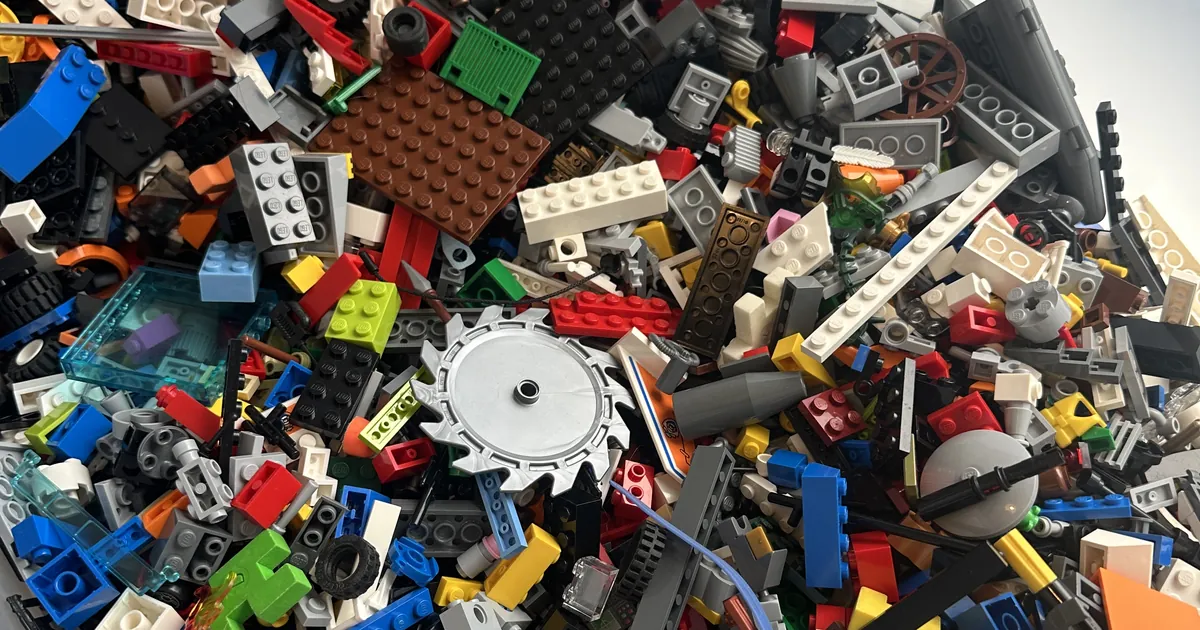
LEGO alternate builds are models you make from the pieces of a set you already own, following instructions somebody else wrote rather than the ones that came in the box. A few are official, printed as a second model in the set's own booklet. Most of the ones people go looking for are not official at all. They come from the fan community, and Rebrickable is where this post will send you, because it is the library Gybio already draws its set data from.
That is the short answer. The longer one matters more, because an alternate build rests on an assumption that nobody mentions until you have already started.
Official builds and community builds are different things
Some sets include a second model in the instructions, usually called a B-model. You build the main model, then turn to a second set of steps for a smaller model made from the same pieces. That is an official alternate build. The LEGO Group designed it and tested it against that set's inventory, so if the set is complete, the pieces should be there.
Everything else people mean by the phrase is a fan design. Somebody took a set's actual part list, designed something new from it, and published the instructions for anyone who owns that set to follow. Rebrickable hosts a large library of these. As of 13 September 2026, its homepage counter showed 149,204 creations logged by its community, which is a count of community designs of every kind rather than alternate builds alone, so read it as a measure of how active the community is and nothing narrower.
These are not official and the LEGO Group has not checked them. What makes them worth using is that they are usually built against the exact inventory of a real set number.
The catch: the build assumes you have everything
Here is the part that catches people out. An alternate build instruction was written against a complete set. It assumes every piece in that set's original inventory is present and in the right colour. If your set has spent a few years in a tub with eight others, that assumption is doing a lot of work it probably cannot support.
I found this out the hard way, though not with an alternate build. I had the same dinghy piece twice, one grey and one orange. The orange one traced straight back to a bigger Coast Guard set. The grey one would not resolve at all: every time I scanned it, my own app told me it belonged to none of my sets, which made no sense, because it had obviously come from somewhere.
The app was wrong, and it was wrong for a reason worth understanding. The set it came from was not in my list, so as far as Gybio was concerned it did not exist. I only got the answer after building the feature that looks a piece up and reports which sets use it. Back came a very small set, nothing to do with Coast Guard, just a figure enjoying himself in a boat. I recognised it the moment I saw the picture. We used to have that one.
Now imagine I had been following an alternate build instead. I would have been working from a pile I believed was one set, pulling a piece I thought was spare, and it would have belonged somewhere else entirely. That is hypothetical, but it is the same mistake in a different coat.
The instructions do not know your pile is mixed. They assume the inventory is right.
What Gybio does here, and what it does not
Worth being plain about this. Gybio will not suggest an alternate build, generate ideas from a pile, or store B-model instructions. That is a different job, and it is the one Brickit does rather than Gybio.
Gybio is a set of tools for putting your own sets back together. Most of the work is sorting: you group your loose bricks by colour and shape, and it shows which of the sets you have catalogued need those pieces, in which colour and how many. For a piece you cannot place by eye, you photograph it and it tells you which of your catalogued sets uses it.
That is the step before an alternate build rather than the alternate build itself. It also has a limit worth stating: Gybio matches pieces against the parts lists of the sets you have catalogued. It cannot tell you a set is complete, and it cannot tell you which set a loose piece originally came from. It can only tell you which of your catalogued sets want a piece like that one.
Rebrickable is also where Gybio gets its set inventories. Rebrickable catalogues sets and hosts the fan designs. If a part turns out to be genuinely gone, the LEGO Group's own replacement service and the marketplaces are where you would buy it. Gybio does not connect to any of them, and a post pretending otherwise would not survive five minutes in the comments of any LEGO forum.
Where to find a build for your set
Two places, in this order.
Your own booklet. If the set came with a second model, it is in the instructions that came with it, and you already own the only inventory it was tested against. This is the most reliable alternate build you will ever follow, and it costs nothing to check. Not every set has one.
Rebrickable, searched by set number. Rebrickable calls fan designs MOCs, short for My Own Creation, and publishes them against the set they were built from, so the set number is the thing to search on. Here is the route, using set 10698-1, the Large Creative Brick Box, as the example.
- Search Rebrickable for your set number and open the set page. For 10698-1 that is
rebrickable.com/sets/10698-1/. - Open the Alt Builds tab. The first list on it is headed "Alternate Builds (MOCs)" and holds the builds that can be made using only the parts in that one set. This is the list you want. On 4 October 2026 it showed 404 of them for 10698-1. Each entry gives the build name and the designer's username.
- Check which section a build sits in before you get attached to it. Further down the same tab are Partial Alternate Builds, which need this set plus one or more others, and Modifications, which use most of this set plus some extra pieces. Neither can be built from your set alone.
- Look for a B-Models section on the same tab. That is where the set's official second model appears, if it has one. 10698-1 has a Movie Projector, 23 parts.
- Open the build you have chosen to see its parts list and its instructions. Some are free. Some are marked Premium or PRO, which means paying for them.
Rebrickable also works the other way round, with a "What can I Build with this Set" feature, though that one asks you to make a free account and enter your own collection first.
Before you commit to one, two things are worth doing.
Separate that set's pieces from the general pile, if they are not already separate. An alternate build is only as reliable as the inventory behind it, and sorting loose LEGO bricks the fast way is the step that makes everything after it trustworthy.
Then check the set is actually complete against its own inventory, the same way you would when checking a used LEGO set is complete. Finding the gap now is a great deal less annoying than finding it three steps from the end.
If a piece turns up that you cannot place at all, that is its own small job, covered in how to identify a LEGO piece. If the set turns out to be properly mixed in with others, rebuilding a LEGO set when pieces are mixed up is the longer method.
The honest limit
Gybio will tell you which of your catalogued sets need a given piece. It will not design anything for you, it will not confirm a set is complete, and it will not tell you whether a particular alternate build is any good. That last part is a judgement call, and it stays yours.
If what you want is a pile of loose bricks turned into build suggestions with no particular set in mind, that is a different tool doing a different job. Worth knowing which one you actually need before you start.
Frequently asked questions
What is a LEGO alternate build?
A different model built from the pieces of a set you already own, using instructions other than the ones in the original box. Some are official second models printed in the set's own booklet, known as B-models. Most are fan designed instructions published by the LEGO community, commonly on Rebrickable.
Where can I find alternate build instructions for a LEGO set?
Search Rebrickable for your set's number, open the set page and go to its Alt Builds tab. The first list there, headed "Alternate Builds (MOCs)", holds the builds that can be made from the parts of that one set, which is the list to start with. Check your set's own instruction booklet as well, in case it includes an official B-model.
Can I use pieces from more than one set for an alternate build?
You can, but most published instructions are written against a single set's exact inventory, so mixing in parts from elsewhere is a judgement call rather than something the instructions account for.
Does the LEGO Group make official alternate builds for every set?
No. Some sets include a B-model and many do not, and there is no published list of which ones do. Your own booklet is the place to check.
What if a piece I need for the alternate build is missing?
Confirm it is actually missing rather than loose somewhere else in your pile, then replace it through the LEGO Group's own replacement parts service or a marketplace such as BrickLink. Buy once you know exactly what is gone, rather than guessing and ordering piece by piece.
Gybio sorts your loose bricks against the sets you own and names the pieces you cannot place. Free for up to three sets and it runs in your browser, with no app store. Gybio Pro is £3.99 a month, or £39.99 a year, for unlimited sets.